 QORPO
Unreal NavMesh doorway checks: can the intended agent use the path?
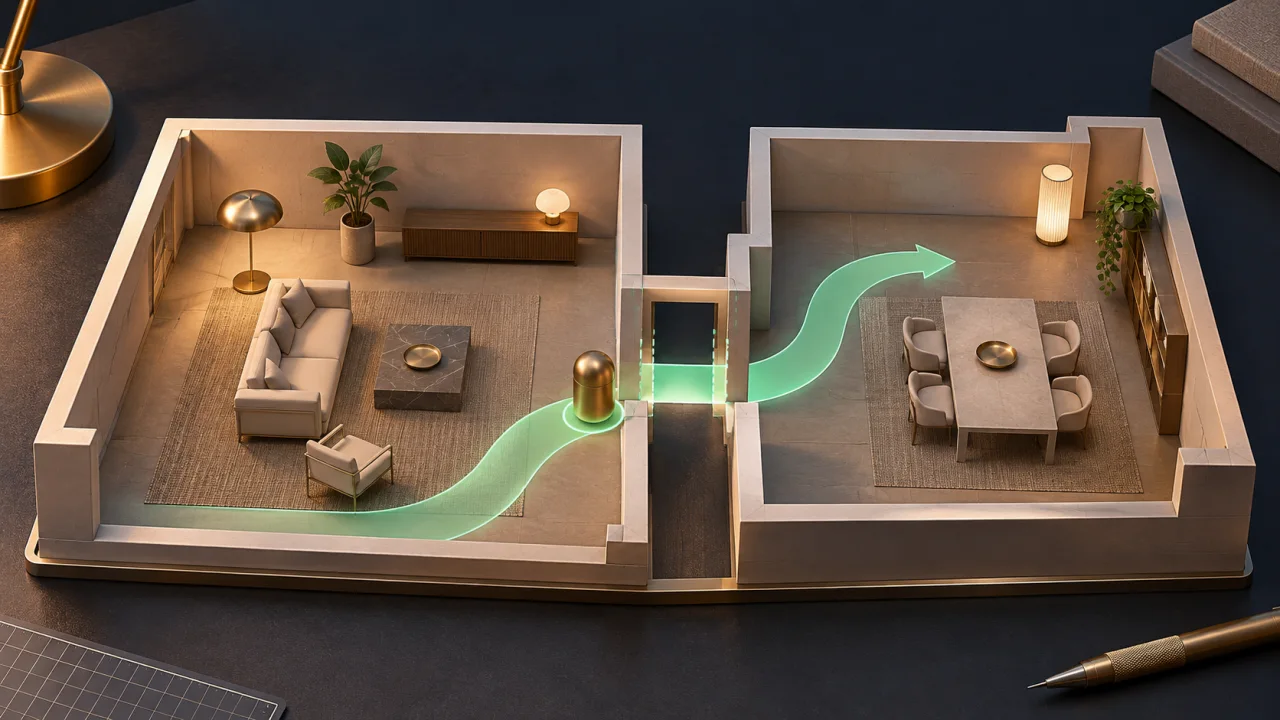
For an Unreal character that will not navigate through a doorway, check physical clearance, navigation coverage and the intended agent configuration separately. A doorway can look wide enough and still have no usable path for that agent.
Start with one known character, one opening and a fixed start and destination. That small case is easier to diagnose than a crowd moving through a complete level. The method below is a proposed development check, not a report of a measured QORPO defect.
Separate appearance from physical clearance
Inspect the character’s collision shape and the doorway’s actual collision geometry. Decorative trim can hide a simpler collision shape that occupies more space than the visible opening suggests.
Try the route using the appropriate supported movement controls or a controlled test setup. The purpose is to establish whether the character can physically pass, without yet treating that result as navigation proof.
Our generated-mesh collision review covers that physical part in more detail. Navigation adds a separate representation of the traversable space.
Inspect the navigation mesh at the opening
Epic’s basic navigation guide explains that a navigation mesh is generated from collision geometry to support pathfinding. Visualize the relevant navigation data and inspect both sides of the doorway.
A broad green area in the room does not establish a connection through the narrow opening. Look at the crossing itself, including any gap between otherwise navigable areas.
Also confirm that the view corresponds to the navigation data used by the agent under review. A project supporting different agent sizes needs a more specific check than “some navigation is visible.”
Record the intended agent properties
The Navigation Mesh settings reference lists agent radius, height and other generation settings. Compare the configuration with the actual character and its intended routes.
Do not reduce the agent radius simply until a green strip appears. An undersized representation can describe a path that the real collision shape cannot follow cleanly.
Likewise, a character appearing small on screen is not a measurement of its navigation shape. Record the relevant values from the actual project rather than estimating clearance from a screenshot.
Use a fixed route in both directions
Choose a start point well inside one room and a destination well inside the other. Ask the agent to travel through the opening, then repeat in reverse.
Observe the path result and the movement. A route that is found but cannot be followed is different from a route that is never found. Preserve that difference in the report.
If the agent reaches the doorway and stops, note the exact last position and whether it continues attempting movement. Avoid changing several navigation settings before recording the original behaviour.
A model comparison
Imagine a hypothetical test where the character can be moved manually through the opening, but the navigation visualization shows a break at the threshold. The path request does not connect the two rooms.
That observation makes navigation generation a useful next area to inspect. It does not prove that a particular cell size or agent-radius value is responsible.
Now imagine another case where a path crosses the doorway, but the character collides with trim while following it. That result points to a disagreement between the planned route and physical movement. It needs a different investigation.
Change one relevant variable
A diagnostic variation might temporarily widen a copy of the opening while leaving the agent unchanged. Another might correct unintended collision geometry. Select the variation based on the evidence from the first check.
Keep the original test map available. A successful variation should be compared against the baseline so the reviewer can explain what changed and why it matters.
When an AI assistant proposes a fix, ask it to identify the affected setting or asset and the expected result of that one change. Our test-fixture guide explains how to keep that expected result visible.
Include door state and runtime conditions
If the game has an opening and closing door, test the states that the actual product supports. A clear opening in the editor does not establish the navigation behaviour of a closed door during play.
Do not invent a dynamic-navigation requirement for a static scene. First establish the intended behaviour, then inspect whether the project’s navigation setup represents it correctly.
After the isolated case works, return to a representative player route. Check nearby obstacles and the agent types that genuinely use this doorway. A one-character fixture is a starting point, not complete level validation.
What should the result say?
A useful report names the build, agent, collision setup, navigation data, fixed route and observed failure. Include the before-and-after evidence for the chosen change and the remaining coverage.
The conclusion should stay proportional: this agent followed this route through this opening under these conditions. Broader claims about all NPC navigation need broader evidence.
Follow QORPO’s development updates for more practical production coverage. Clear separation between visible geometry, collision and pathfinding prevents a small doorway problem from becoming a series of unrelated setting changes.