 QORPO
QORPOAI-generated meshes: check the doorway your player must cross
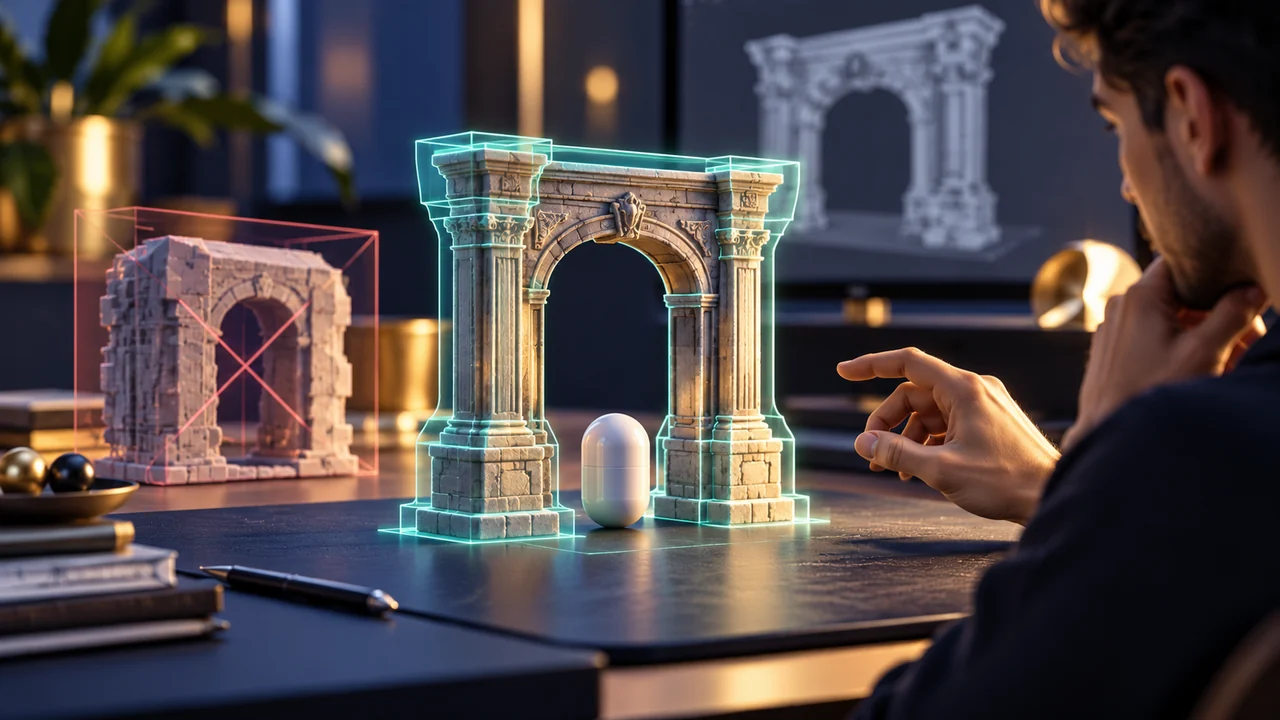
Review an AI-generated doorway with the actual player collision and intended approach, not only a rendered preview. The visible opening and the collision opening can differ. Start with one passage, inspect the collision representation, then test the same movement through it before adding the asset to a larger environment.
This is a proposed asset-review exercise, not a claim that QORPO tested a particular generation tool. Epic's static-mesh collision guide explains how collision shapes affect movement around a mesh. A convincing generated surface still needs a collision setup that supports the action the player is expected to perform.
Define the passage before reviewing its appearance
Write down who or what needs to pass through the opening. Use the intended player configuration, not an arbitrary camera that can move through anything. Record the mesh revision, scale, placement and relevant collision settings. These details belong with the result because changing any of them can change the usable passage.
Choose the approach as well. A straight walk through the centre answers one question; turning into the opening from an angle answers another. Do not silently replace a difficult approach with an easier one while comparing revisions. The review needs a stable action so a better-looking image does not conceal a worse interaction.
Inspect what the player cannot see
The render shows the doorway's surface. Collision determines which space the relevant movement can occupy. A broad collision shape may cover an opening that looks clear, while another setup may leave a visible post without the blocking behaviour the scene requires. Inspect the representation before guessing why the player stops or passes through.
This does not mean choosing the most detailed collision in every case. The required interaction should guide the choice. An opening that is central to navigation needs different attention from a distant decorative object. Epic's documentation supplies the engine tools; the review must decide what the prop needs to support in this scene.
Model example: a stone arch in a prototype
Imagine an AI-assisted art pass produces an attractive stone arch. In a fictional review scene, the player should walk through it and continue along a narrow path. The initial render clearly shows daylight through the arch, but the movement check stops at the threshold. This is a model example, not a reported QORPO defect.
Keep the player and approach unchanged while inspecting the collision around the posts and lintel. Record what blocks the movement rather than immediately reshaping the visible arch. If the collision representation covers the opening, revise that representation and repeat the same approach. The evidence should show which change altered the result.
Our visual bug-report guide explains how to preserve context around a failure. For this review, include the mesh placement and approach route as well as a close-up of the opening. A single beautiful render cannot show whether the passage works.
Check the boundary, not just the centre
After the central passage works, check the edges that the intended interaction makes relevant. Does a normal turn catch at a post? Does the visible boundary correspond closely enough to the blocking boundary for the player to understand it? Keep each observation tied to an actual movement and a visible location.
Avoid turning a small review into random traversal around the whole map. The point is to establish a usable asset contract: this revision, at this scale, supports these approaches. If a later level uses a different scale or unusual movement, that new context needs its own check rather than inheriting an unqualified approval.
Keep render changes and collision changes connected
Generated or edited art can alter proportions after the first collision review. A wider post, lower lintel or changed pivot may affect placement and clearance. When the visual mesh changes, check whether the approved collision still describes the useful space. Do not assume the earlier result remains valid because the asset kept the same filename.
The prototype-to-production article covers that wider handoff. The physics-prop comparison addresses a separate test: behaviour across frame-rate conditions. A successful doorway-clearance check is not a general physics, performance or navigation certification.
Handoff one clear result
Save the asset revision, tested setup, movement sequence and observed result. If a limitation remains, describe its exact context. “Centre approach works; the recorded angled approach catches at the left post” gives the level designer a usable boundary. “Collision fixed” gives much less information about what was actually checked.
Where AI helped generate a candidate, keep that provenance separate from acceptance. The asset's origin does not establish its runtime behaviour, and a manual collision revision does not prove every use of the prop is valid. Approval should follow the relevant interaction evidence.
Common doorway-review questions
Can a rendered opening prove a player can cross it?
No. The movement and collision setup need their own inspection. Use the intended player and scene scale for a meaningful check.
Should every mesh use the same collision method?
No universal method is prescribed here. Choose a representation that supports the required interaction and review its cost and behaviour in the relevant project.
What should a team do first?
Choose one important passage and a repeatable approach. Use Epic's primary collision guide for the controls, then retain evidence of the actual result. Explore QORPO's production articles for related asset-review methods.